How To Download And Install The DM Play App On Android?
The DM Play app download takes one tap: open the site in your phone browser and press the download icon in the upper right corner. You can also use the same icon to add it to your home screen, which works like an app shortcut without a separate install file.
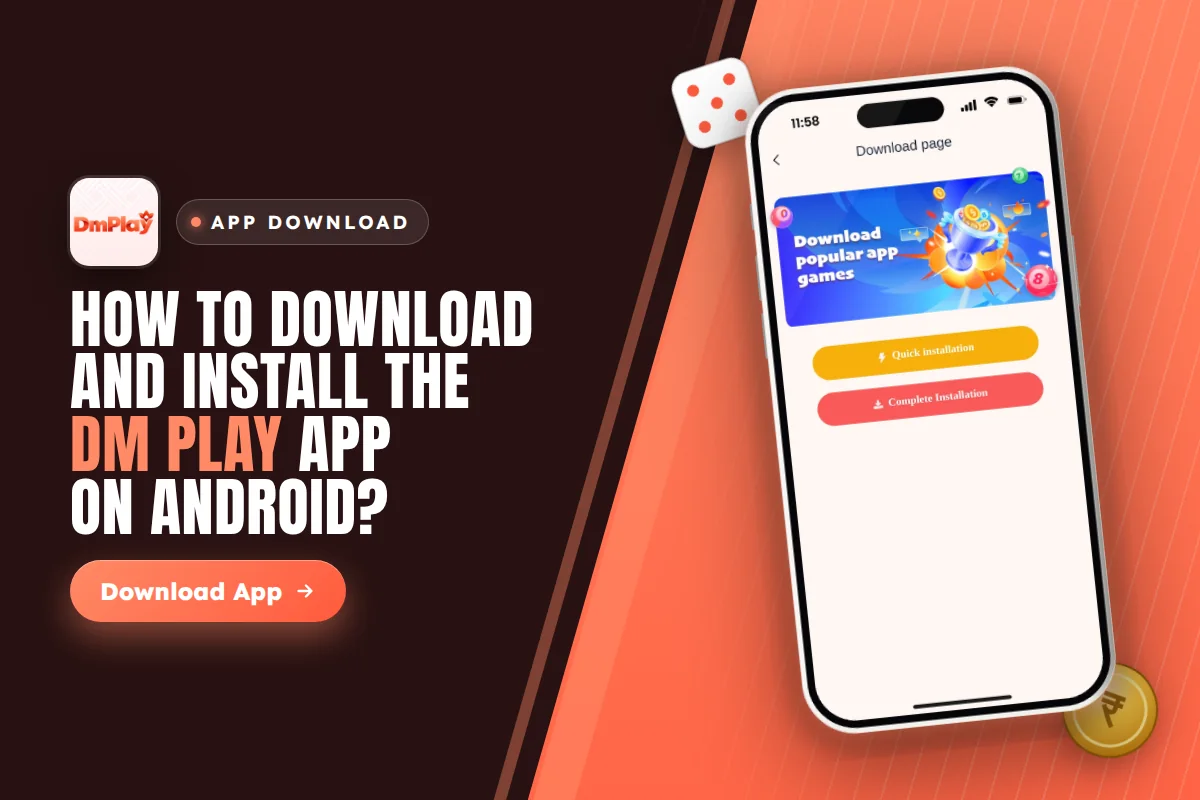
Here you will find the exact steps to install on Android, what to do if your phone won’t accept the file, options for iPhone and PC users, and the fake “hack” downloads that you must avoid. Play only if you are 18 or older, and keep in mind that games played for money can lead to genuine losses.
How Does The DM Play App Download Work?
The app comes from the website itself, not from a store listing. When you open the site on your phone, a download icon sits in the upper right corner of the screen. Tapping it lets you either start the app download or choose ADD TO DESKTOP.
The two choices work differently. Downloading gives you an installable file for Android. The desktop option adds a shortcut to your home screen that opens the mobile site straight away, so nothing is installed and almost no storage is used, unlike the app download.
No app version number, file size or language list is shown on the download screen. If you want to know how much space you need, check your phone’s Downloads folder after the file finishes. Before you start, make sure you are on the correct address, dmplay.bio, and not a copy site sent in a random group chat.
Steps For DM Play Game Download On Android
The full DM Play Game download on Android takes only a few minutes if you follow these steps in order.
Type dmplay.bio into Chrome or your usual browser. Avoid in-app browsers inside WhatsApp or Telegram, because they often block file downloads.
On the home page, find the download icon in the top right corner and tap it.
Pick the download option. Chrome may warn that the file can harm your device; tap Download anyway only if you are sure the address is correct.
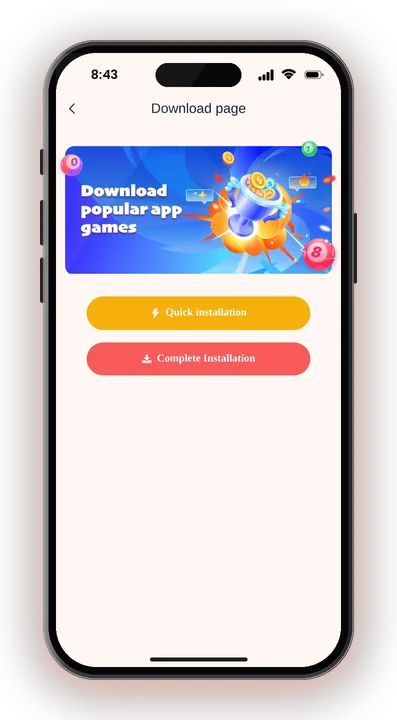
Once the download is complete, tap Open in the notification bar, or locate the file inside your Downloads folder.
Once Android asks, allow your browser to install apps from unknown sources, and then tap Install.
Open the new icon and log in, or register if you are new.
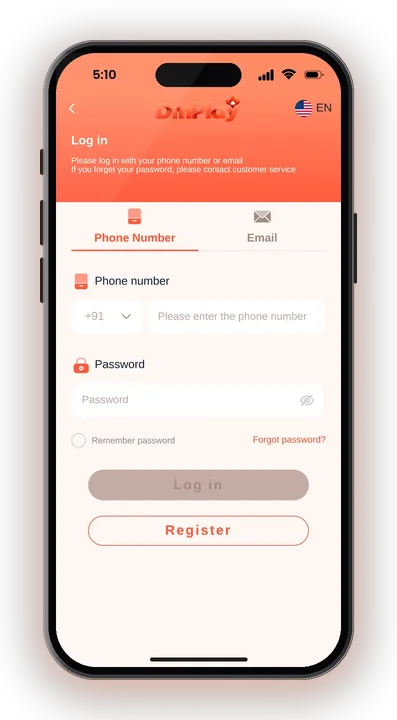
New players can create a DM Play account right after the install. The sign-up form asks for your phone number, a 6-letter password, the password again and a recommendation code, then you tick I have read and agree. You can enter the invite code 216651031605 in that recommendation box.
What To Do When Android Blocks The DM Play App Install?
Most install problems come from Android security settings, not from the file. Here are the common download issues and the fix for each.
Install Unknown Apps Is Turned Off
Any file downloaded from outside the Play Store is blocked by Android by default. Go to Settings, then Apps, then Special app access, then Install unknown apps, and switch it on for the browser you downloaded with. The exact menu path differs a little between Xiaomi, Vivo, Oppo and Samsung handsets.
After the install is done, you can switch the setting off again. That keeps other random files from installing quietly later.
Play Protect Shows A Warning
Google Play Protect may say the app is unknown or not verified. This shows for most apps installed from outside the store. If you downloaded from the correct address, you can tap More details and then Install anyway.
App Not Installed Error
This usually means the download was cut off halfway or your storage is full. Delete the half file, clear some space and download again on stable Wi-Fi or mobile data. If an older copy is already installed, remove it first.
How To Add DM Play To Your Home Screen Instead
If you do not want to install any file, the ADD TO DESKTOP option gives you a home screen icon in under a minute. It is also the simplest choice on phones with very little storage, if the app download is not an option.
Visit dmplay.bio in your phone browser.
Press the icon in the upper right corner.
Choose this option and confirm the prompt your browser shows.
An icon now sits on your home screen and opens the mobile website directly.
Your login, wallet and games are the same either way, because both open the same account. The shortcut also picks up site changes automatically, so you never need to update it.
Can You Use The DM Play App On iPhone Or PC?
Yes, but through the browser. The Android install file used for the app download does not run on an iPhone or a computer, so iPhone and PC users play on the mobile website or a shortcut.
iPhone Users
Open dmplay.bio in Safari and tap the download icon, then pick ADD TO DESKTOP. If the prompt does not appear, tap Safari’s Share button and choose Add to Home Screen. You get an icon that opens your account like an app.
Do not trust anyone selling an ‘iOS version’ or asking you to install a profile on your iPhone. That is a common trick to take control of the phone.
Laptop Or Desktop PC
On a computer, just open the site in Chrome or Edge and log in. You can bookmark the page or use the browser’s install shortcut option if it shows one. The lottery games like Win Go, K3, 5D, Trx Win Go and MotoRace work fine on a bigger screen.
Is The DM Play App APK Safe To Install?
The file is as safe as the place you get it from. Only start a dm play app download from the download icon on the real website, and never from a link that someone forwards to you with promises of extra money.
Fake DM Play Hack And Predictor Apps
There is no working hack. Results in Win Go and other games are random, and no app can predict the next colour or number. So-called predictor or mod APKs are scams that ask for a fee, steal your login or carry malware.
Using such tools can also break account rules. The platform does not allow illegal betting, such as betting Big and Small together or Red and Green together in the same round.
Permissions To Watch
A gaming app has no need to read your SMS, contacts or call logs. If an installer asks for such permissions, cancel the installation and delete the file. Do not share your login password or any OTP with a person who claims to be an agent.
Play Within A Budget
Only players above 18 can use the app. Set a fixed playing budget before you deposit, use small bets and stop when it is gone. Rules on real-money gaming differ from state to state in India, so check your local law first.
What To Do After The DM Play App Download
When the app has opened, type in your phone number or email along with your password, then tap Log in. If you cannot remember your password, you must contact customer service; more sign-in problems are covered on the DM Play account login page.
The Activity page lists a Download App Free Rs. 28 bonus tied to the dm play app download, so check there after your first login to see how to claim it. The turnover conditions are not shown up front, so read the terms inside the app before you count on it.
Inside the app from your dm play app download, the menu holds Lottery, Hot Games such as Aviator and Chicken Road 2, live tables from DG like Baccarat and Andar Bahar, Fishing from JDB and Golden Bank slots from JILI. To add money, go to ACCOUNT and then DEPOSIT; UPI starts at ₹100.
DM Play App Download – FAQs
Is the DM Play app on the Google Play Store?
No store listing is mentioned. The DM Play Game download comes from the download icon in the upper right corner of the website, so search results on the Play Store with a similar name may be copies.
Why can’t I find the version number or file size?
The download screen does not show a version, size or language list. After the file downloads, check its size in your phone’s Downloads folder.
Do I need to register again after installing?
No. If you already have an account on the website, the app and the home screen shortcut use the same login and the same wallet balance.
Does a DM Play Hack app give winning predictions?
No. Results in games are random, and each hack or predictor app is a scam. Installing one could cost you money, expose your account details or put your phone’s security at risk.
Final Words
The DM Play App download is quick on Android: tap the icon at the top right, allow the install, and sign in. iPhone and PC users can use ADD TO DESKTOP or the browser, and they get the same account and games.
Keep it safe by using only the real site, skipping every hack file and playing with money you can afford to lose. You must be 18 or older. When you are ready, head back to DM Play and start from the download icon, or open DM Play in your browser to play without installing anything.